
Long story short: This guide looks at nine apps for everyday navigation, motorcycle touring, ride tracking, and connected-bike services. Pick the one that fits your riding needs, route coverage, phone and hardware, offline use, and budget.
If you want everyday directions, plan recreational routes, keep a ride log, or use features connected to your bike’s display, start by finding the right category below. If you need more than one feature, check each one on its own.
Key Takeaways
- Compare apps by the task you need to perform. See Quick picks for a starting shortlist by riding task.
- Check motorcycle routing, offline navigation, live traffic, and hazard alerts separately. Availability may depend on the location, platform, and plan.
- Account for subscriptions, compatible hardware, and separate service charges rather than comparing app download prices alone.
- Review location permissions, sharing visibility, and data-deletion options. Test essential functions on your intended setup before relying on them for a trip.
How We Assessed These Apps
- Source of information: This guide compares the features, platforms, pricing and use cases listed in each app’s store listing, provider website and help pages. The sources are linked under each app.
- No hands-on testing: We did not run a standardised test of all nine apps. Treat each entry as a starting point for your own assessment, not a tested ranking.
- Prices: Prices are as quoted, not confirmed India checkout prices. “Free” refers to the app price only, so check subscriptions, hardware, installation, and connected-service charges for each function you need.
- “Unverified”: This means not confirmed for the stated setup. It does not mean unavailable or unsupported.
- Before you rely on an app: Test the functions you need on your own phone and route, using the checklists below.
- Ratings: Store ratings are user feedback from different stores, storefronts, and sample sizes. Counts are shown in thousands (K) and millions (M). They do not show route accuracy or reliability, and the “checked” date applies only to the rating or price beside it.
Quick Picks: Which Apps To Shortlist First
These shortlists are based on the features described here, not on hands-on testing. Always check the “check first” item on your own phone and route before you rely on any app.
| Your riding task | Shortlist first | Also compare | Check first |
|---|---|---|---|
| Everyday directions | Google Maps (two-wheeler directions in supported locations) | Waze for live traffic and hazard alerts; Mappls for pothole and speed-breaker alerts | That the two-wheeler option appears for your location. Waze’s new motorcycle mode is not confirmed for India. Check suggested routes against road signs and access restrictions. |
| Recreational and winding-road route planning | Calimoto (winding-road and round-trip planning) or REVER (route planning with ride recording) | Scenic (route planning and sharing) | Which features need a paid plan (Calimoto Premium, REVER PRO, Scenic Premium). Scenic is listed for iOS, with an Android open test where features may differ. |
| Riding with poor network coverage (offline-first) | REVER PRO (offline maps and routes) or Calimoto Premium (offline maps) | Scenic Premium and NaviMaps (offline maps); Google Maps (offline map downloads) | Offline maps do not by themselves confirm offline search, route calculation, or guidance. Google Maps offline two-wheeler routing is not confirmed. Test each function without an internet connection using the offline-use checklist. |
| Group rides | Calimoto Premium (synchronised group rides and location sharing) | REVER PRO (LiveRIDE live-location link) | Account, connectivity and plan requirements for every rider, tested with the intended recipients |
| Royal Enfield ownership and connected services | Royal Enfield App | — | Navigation needs Tripper or Tripper Dash; tracking needs Wingman hardware. Confirm your model, variant, and any separate connected-service charges. |
| Personal ride log | MyRide by Yamaha | REVER, Scenic and Calimoto (ride recording) | Assess turn-by-turn navigation separately, and test GPX export in the receiving app or device |
Side-by-side Comparison Of The Nine Apps
Look at the Category column to find apps that fit your riding needs, then compare their features and costs. Ratings come from different app stores and sample sizes, so you can’t compare them directly.
The Platforms column shows where each app is available. Keep in mind, not every feature—like navigation, offline use, or ride recording—works on every platform or web version.
Check the pricing and feature columns together. “Free” means the app’s listed price here, not the total cost for your setup. Look for notes about paid features in each row, and if payment details aren’t listed, consider them unverified.
| App Name | Category | User Rating | Platforms | App Pricing/Other Charges | Key Features | Use Case to Assess |
|---|---|---|---|---|---|---|
| MyRide by Yamaha | Ride tracking and logbook | 4.3/5 (Google Play; 19K reviews); 4.6/5 (Apple App Store, India; 38 ratings); checked 10 October 2026 | iOS, Android | Free | Ride stats tracking (lean angle, acceleration), GPX export, social ride sharing | Ride recording and ride-statistics review; assess GPX export and sharing separately |
| Scenic | Motorcycle touring and route planning | 4.7/5 (Apple App Store, US; 7.5K ratings); checked 9 October 2026 | iOS; Android open test — feature availability may differ | Free version; optional Premium subscription. The website price quoted in this guide is equivalent to $4.99 per month with annual billing; its pricing-check date is not recorded here. Check the checkout total, billing currency, and current India pricing before subscribing. | Route planning and sharing; Premium voice guidance, offline maps, and camera alerts; closure/incident display subject to platform and regional availability. Incident-aware routing is not confirmed in this guide. | Motorcycle route planning and sharing; assess navigation and offline features for the intended platform and plan |
| REVER | Motorcycle touring and route planning | 4.2/5 (Google Play; 17.1K reviews); 4.7/5 (Apple App Store, US; 16K ratings); checked 9 October 2026 | iOS, Android | Free version; optional PRO subscription | Ride recording, route-line following and community sharing; PRO adds twisty routing, offline maps/routes and supported turn-by-turn guidance. The Advanced Off-Road Planner does not support turn-by-turn voice navigation. | Motorcycle trip planning; assess PRO offline maps and routes against the offline-use checklist |
| Google Maps | General navigation | 4.3/5 (Google Play; 19.6M reviews); 4.7/5 (Apple App Store, India; 2.4M ratings); checked 9 October 2026 | iOS, Android, Web | Free | Two-wheeler directions in supported locations, route-step previews, flyover voice guidance, and offline map downloads. Offline two-wheeler routing is not confirmed in this guide; live traffic requires connectivity. | Destination search and route guidance; verify two-wheeler directions for the intended location. See Google Maps motorcycle-mode availability and selection steps. |
| Waze | General navigation | 4.2/5 (Google Play; 8.93M reviews); 4.8/5 (Apple App Store, US; 3.2M ratings); checked 10 October 2026 | iOS, Android | Free | Real-time crowd-sourced traffic, police and hazard alerts, voice-guided navigation; Motorcycle vehicle-type setting. The new motorcycle mode is not confirmed for India. Check coverage and routing suitability for the intended route. | Connected route guidance and traffic or hazard alerts; verify coverage for the intended route |
| Royal Enfield App | Connected-bike and ownership services | 4.5/5 (Google Play; 27.8K reviews); 4.3/5 (Apple App Store, India; 2.2K ratings); checked 10 October 2026 | iOS, Android | Free app; Wingman connected-service charges may apply separately. Check current pricing and compatible models. | Navigation through compatible Tripper/Tripper Dash hardware; Wingman tracking, vehicle alerts, and trip reports require supported connected hardware. The app also provides service booking and ownership services. | Royal Enfield ownership services; assess navigation and tracking after checking model, hardware, and service requirements |
| Mappls (MapmyIndia) | General navigation | 4.1/5 (Google Play; 74.5K reviews); 4.1/5 (Apple App Store, India; 4K ratings); checked 9 October 2026 | iOS, Android, Web | Free | India-specific pothole/speed breaker alerts, 3D junction views, live signal timers; check current availability and coverage | Road-alert and junction-information features; verify availability and coverage for the intended route |
| NaviMaps | General navigation | 4.4/5 (Google Play; 33.3K reviews); 4.5/5 (Apple App Store, India; 9.1K ratings); checked 9 October 2026 | iOS, Android | Check current plans and India pricing in the app | Offline maps, directions and local search; junction views; multi-stop planning. Regional voice guidance and selected destination/map-detail features require Pro-Guidance; live traffic requires connectivity. | General navigation and offline functions; assess route coverage and required features using the offline-use checklist |
| Calimoto | Motorcycle touring and route planning | 4.0/5 (Google Play; 55.6K reviews); 5.0/5 (Apple App Store, India; 3 ratings); checked 9 October 2026 | iOS, Android, Web | €9.99/week, €59.99/year, or €39.99 for a three-month Season Pass. Official website prices checked on 9 October 2026; check the app for India pricing. | Winding-road and round-trip planning, points of interest, ride recording and route transfers; Premium includes voice navigation, offline maps and compatible Android Auto/Apple CarPlay integration. | Recreational winding-road and round-trip planning; check route coverage and plan requirements for the intended region |
Features At A Glance
This summary only covers features mentioned in this guide. If you see “Not listed,” it means we didn’t include it here—it could still be in the app. Always check each feature in the app before relying on it.
| App | Free to start | Motorcycle routing | Offline maps | Regional-language voice | Ride recording | Extra hardware or plan |
|---|---|---|---|---|---|---|
| Google Maps | Yes | Two-wheeler directions in supported locations | Map downloads; offline two-wheeler routing not confirmed | Flyover guidance in nine Indian languages | Not listed | None listed |
| Waze | Yes | Motorcycle vehicle-type setting; new motorcycle mode not confirmed for India | Not listed | Not listed | Not listed | None listed |
| Mappls | Yes | Not listed | Not listed | Not listed | Not listed | None listed |
| NaviMaps | Check in app | Not verified as motorcycle-specific | Yes | Pro-Guidance: ten regional languages | Not listed | Pro-Guidance (in-app purchase) |
| REVER | Yes | Touring route planning; twisty routing in PRO | PRO | Not listed | Yes | PRO subscription for offline and turn-by-turn |
| Scenic | Free version | Touring route planning | Premium | Not listed | Yes | Premium subscription; Android is an open test |
| Calimoto | Paid access | Winding-road and round-trip planning | Premium | Not listed | Yes | Premium; Android Auto/CarPlay needs a compatible display |
| MyRide by Yamaha | Yes | Not a navigation app | Not listed | Not listed | Yes, with logbook and GPX export | Connected functions need a compatible Yamaha setup |
| Royal Enfield App | Free app | Navigation through Tripper or Tripper Dash | Not listed; the Tripper pod can continue guidance once a route is set, if the phone has GPS | Not listed | Route recording; Wingman trip reports | Tripper or Tripper Dash for navigation; Wingman hardware for tracking |
The Category column groups entries for comparison and does not rank the apps. See how to choose a motorcycle riding app for task-based shortlisting.
Detailed Review Of Each App
1. Google Maps
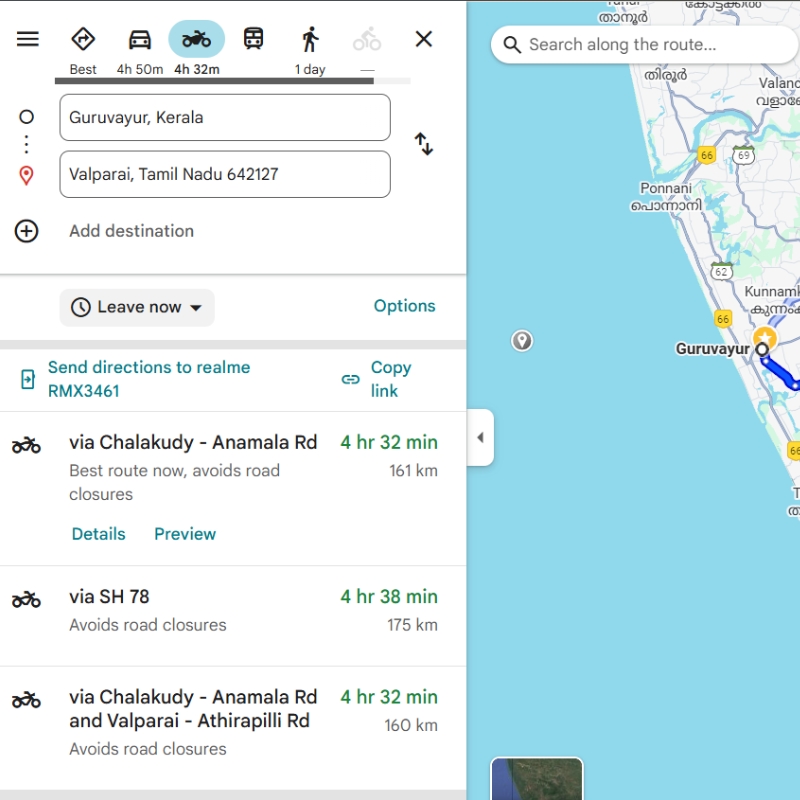
Google Maps offers two-wheeler directions for motorcycles and scooters in supported locations, including India. These routes avoid roads where two-wheelers are not allowed and may use shortcuts along narrower side roads. Two-wheeler directions are available on mobile devices in limited locations.
Features Relevant To Motorcycle Riders
- Two-wheeler routing: Select the two-wheeler travel mode to get directions intended for motorcycles and scooters. Check suggested routes against road signs, access restrictions, and current conditions.
- Route-step previews and stops: Review individual turns before departure and add intermediate stops, including landmarks selected on the map.
- Flyover voice guidance: Google announced spoken flyover instructions in nine Indian languages, with rollout to Android and iOS users. Check availability in your installed app.
- Customisable navigation icons: Google announced two-wheeler “Navatars,” including motorcycle and scooter designs with eight colour options, initially rolling out to Android users in India.
- Offline maps: Download supported areas before travelling without a reliable connection. The entire route must be within the downloaded area for offline guidance. Live traffic information and alternative routes are unavailable while driving offline; map downloads should not be treated as confirmation that two-wheeler routing works offline.
User Rating
- User Rating — Google Play: 4.3 out of 5 (19.6M reviews; checked 9 October 2026).
- User Rating — Apple App Store, India: 4.7 out of 5 (2.4M ratings; checked 9 October 2026).
Pros And Cons
Pros
- Free
- Two-wheeler directions for motorcycles and scooters in supported locations, including India, avoiding roads where two-wheelers are not allowed
- Route-step previews and intermediate stops
- Flyover voice guidance announced in nine Indian languages
- Offline map downloads
Cons
- Two-wheeler directions are available on mobile devices in limited locations
- Offline two-wheeler routing is not confirmed
- Live traffic and alternative routes are unavailable while navigating offline, and the entire route must be within the downloaded area
Best For
For everyday navigation: Consider Google Maps if two-wheeler routing in India and live traffic information match your needs. Check suggested routes against local access restrictions and road conditions, and assess its directions on familiar roads before relying on it for an unfamiliar journey.
Official Links Of Google Maps
Sources For Google Maps Features
- Google: Google Maps in India — Enhancing Every Way You Travel with India-First Features
- Google Maps Help: Download areas and navigate offline — coverage requirements and offline limitations
2. Mappls Mapmyindia
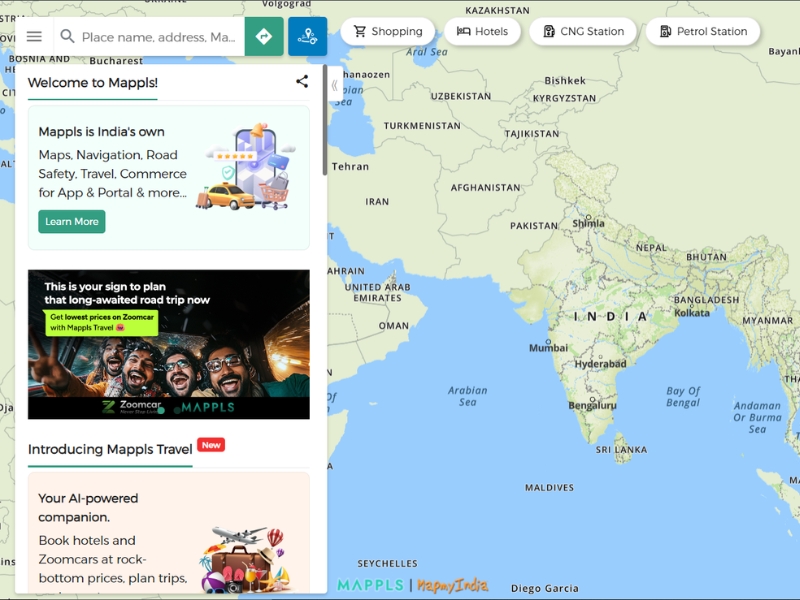
Mappls MapmyIndia Maps is a general navigation app with voice-guided directions, live traffic information, and destination search. Its published features include 3D junction views, road-hazard alerts, and live traffic-signal timers at supported locations.
Features Relevant To Motorcycle Riders
- Voice-guided navigation and live traffic: The app provides turn-by-turn directions, traffic updates, and estimated arrival times. Check suggested routes against local access restrictions and current road conditions.
- 3D junction views: Mappls describes junction previews with lane markings and visual representations of flyover entries and exits.
- Road-hazard alerts: Published alert types include potholes, speed breakers, and sharp turns. Check coverage for your intended route. This guide does not establish that these alerts are motorcycle-specific or that they improve rider safety.
- Live traffic-signal timers: MapmyIndia announced integration with more than 125 smart signals in Bengaluru in September 2025. Availability depends on supported signals and the app platform; do not assume coverage at every junction or in every city.
- RealView: Mappls offers panoramic street imagery for exploring supported locations. Treat this separately from turn-by-turn guidance and live road-condition information.
MapmyIndia also supplies embedded and smartphone-projection navigation solutions for two-wheelers, as well as electric-mobility tools such as range calculations and charging-station information. These are separate product offerings: confirm the motorcycle model, installed hardware, companion app, and supported functions before including them in a connected-bike comparison.
User Rating
- User Rating — Google Play: 4.1 out of 5 (74.5K reviews; checked 9 October 2026).
- User Rating — Apple App Store, India: 4.1 out of 5 (4K ratings; checked 9 October 2026).
Pros And Cons
Pros
- Free
- Turn-by-turn directions, traffic updates, and estimated arrival times
- 3D junction views with lane markings and flyover entries and exits
- Road-hazard alerts for potholes, speed breakers and sharp turns
- Live traffic-signal timers (more than 125 smart signals in Bengaluru announced in September 2025) and RealView street imagery
Cons
- This guide does not establish that the alerts are motorcycle-specific or improve rider safety
- Signal timers depend on supported signals, so do not assume coverage at every junction or in every city
- Check current availability and coverage of hazard alerts and junction views for your route
Best For
For India-focused navigation: Consider Mappls if you are looking for local mapping and navigation features. Check the current availability and coverage of hazard alerts and junction views, and test address search and routing on familiar roads before choosing it for a longer trip.
Official Links Of Mappls Mapmyindia
Sources For Mappls Features
- Mappls: App features
- Mappls: Navigation and RealView features
- MapmyIndia: Embedded and smartphone-based two-wheeler navigation solutions
3. Navimaps: 3d Gps Navigation
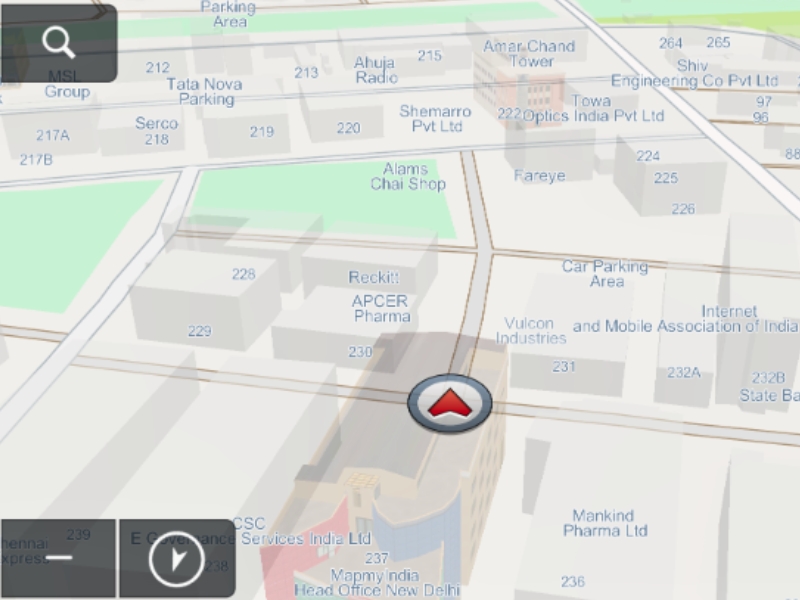
NaviMaps: 3D GPS Navigation is a MapmyIndia navigation app offering offline maps, directions, and local search, alongside internet-connected functions such as live traffic and location or route sharing. It is included here as a general navigation option, not as a verified motorcycle-specific routing app.
Features Relevant To Trip Planning And Navigation
- Offline navigation: The app listing describes offline maps, directions, and local search on the device. Download the required maps before departure and test the functions needed for your intended route. Live traffic and online search require an internet connection.
- Junction views and signposts: The listing includes junction views, realistic signposts, and visual driver alerts. These are navigation aids, not evidence of a demonstrated motorcycle-safety benefit.
- House-number search and points of interest: The listing describes house-number-level destinations and points of interest, including petrol pumps and parking places along the route. Some of these functions are marked as requiring Pro-Guidance.
- Multi-stop routing: Plan journeys with intermediate stops rather than only a starting point and destination.
- Regional voice guidance: Pro-Guidance includes turn-by-turn voice instructions in English and ten regional languages: Hindi, Kannada, Marathi, Punjabi, Bengali, Gujarati, Malayalam, Oriya, Tamil, and Telugu.
- Text-to-speech: The app listing states that place names can be spoken during voice prompts.
- Live traffic: Internet-connected traffic information includes expected delays. The official NaviMaps page associates live traffic and traffic-aware rerouting with ProGuidance; check current access requirements in the app.
- Location and route sharing: The listing describes sharing through WhatsApp, SMS, email, and Facebook, with an internet connection required.
The Google Play listing advertises a seven-day Pro-Guidance trial. It marks several functions as requiring an in-app purchase, including regional voice guidance, voice rerouting, and certain map-detail features. Check current India pricing and the features included after the trial before choosing the app.
MapmyIndia separately offers embedded and smartphone-projection navigation for motorcycle manufacturers, together with EV and connected-vehicle solutions. Do not assume that these integrations, motorcycle-specific routing, battery displays, crash detection, SOS, geofencing, or anti-theft functions are included in the standalone NaviMaps app.
User Ratings
- Google Play — India: 4.4/5 (33.3K reviews; checked 9 October 2026).
- Apple App Store — India: 4.5/5 (9.1K ratings; checked 9 October 2026).
Pros And Cons
Pros
- Offline maps, directions and local search on the device
- Multi-stop routing
- Pro-Guidance voice instructions in English and ten regional languages
- Seven-day Pro-Guidance trial advertised on Google Play
Cons
- Included as a general navigation option, not a verified motorcycle-specific routing app
- Regional voice guidance, voice rerouting, and certain map-detail features require an in-app purchase; check India pricing and what is included after the trial
- Live traffic and online search require an internet connection
Best For
For assessing general navigation and offline functions: Consider NaviMaps if those functions match your trip requirements. Check its current availability, map-update information, regional coverage, required plan, and India pricing. Use the offline-use checklist to test the functions you need before selecting it as your main navigation app.
Official Links Of Navimaps: 3d Gps Navigation
Sources For Navimaps Features
- Google Play: NaviMaps features and Pro-Guidance requirements
- MapmyIndia: NaviMaps navigation features and ProGuidance
- MapmyIndia: Separate embedded, projection-based, and connected two-wheeler solutions
4. Waze
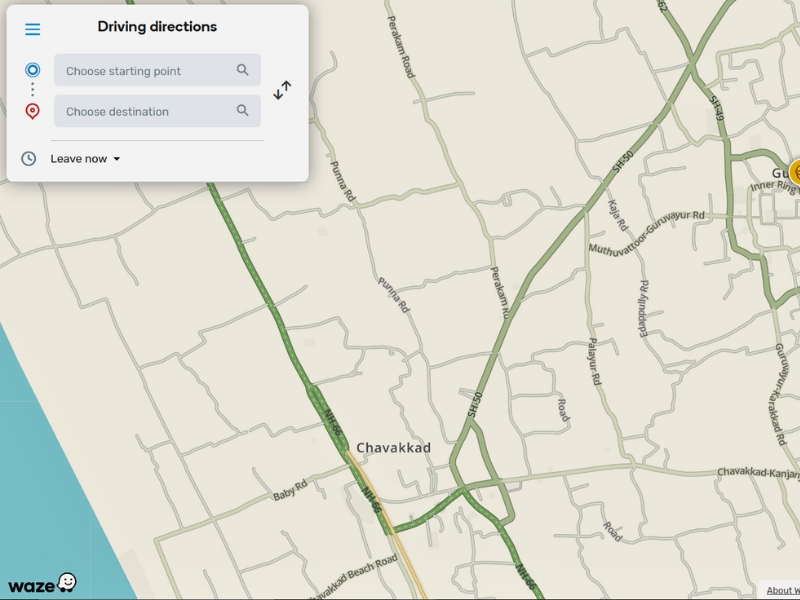
Waze is included in this guide as a general navigation option with live traffic information and community-reported road updates. Its motorcycle-specific features must be assessed separately from its general navigation functions because availability varies by region.
Motorcycle Options: Two Things To Separate
- Motorcycle vehicle type: Waze’s help page lists Motorcycle under Settings > Vehicle details > Vehicle type, and says the vehicle type adjusts routing and estimated arrival times. See how to select it.
- New motorcycle mode (July 2026 announcement): On 13 July 2026, Waze listed Argentina, Brazil, Colombia, Malaysia, Mexico, Peru and the Philippines as the initial rollout countries on Android and iOS. India was not included, so this guide does not confirm that this mode is available in India.
For the supported regions, Waze describes motorcycle routing that accounts for two-wheeler shortcuts and restrictions, plus alerts for potholes, speed bumps, raised crosswalks, shoulder endings and narrow bridges, supported by a community of motorcycle map editors. This guide does not confirm that these routing features or alerts are available in India.
Other Navigation Features Announced In July 2026
- Personalised navigation: Route suggestions can reflect previous trips and local traffic patterns. Users can select alternatives or turn off personalisation. Waze announced a global rollout on Android and iOS.
- Less chatty mode: This optional setting reduces the frequency and length of voice prompts while retaining reminders for hazards, turns, and lane changes. Waze announced a global rollout on Android and iOS.
- Conversational map reporting: Gemini-powered reporting lets users describe road closures or outdated addresses in natural language. Suggestions are sent to local map editors for verification. Waze announced a global rollout on Android and iOS.
- Gemini destination search: Voice queries can help find places such as open cafés, parking, or nearby fuel stations. The July announcement limited this rollout to the global Waze beta community on Android and iOS; it did not establish general availability.
A global rollout announcement does not confirm that every feature is available on every Indian account, device, or language setting. Check the functions available in your installed app before selecting Waze for a trip.
User Ratings
- User Rating — Google Play: 4.2 out of 5 (8.93M reviews; checked 10 October 2026).
- User Rating — Apple App Store, US: 4.8 out of 5 (3.2M ratings; checked 10 October 2026).
Pros And Cons
Pros
- Free
- Real-time crowd-sourced traffic, police and hazard alerts, and voice-guided navigation
- Motorcycle option under vehicle-type settings
- July 2026 announcements with global rollout: personalised navigation, less chatty mode and conversational map reporting
Cons
- The new motorcycle mode was not included in the initial rollout countries, so availability in India is not confirmed
- Gemini destination search was limited to the global Waze beta community
- A global rollout announcement does not confirm that every feature is available on every Indian account, device, or language setting
Best For
For traffic-aware navigation: Consider Waze if live traffic information and community-reported road alerts are priorities. Assess its routing on familiar roads and check connectivity requirements before choosing it for a trip, especially if your route passes through areas with poor network coverage.
Official Links Of Waze
Sources For Waze Features
- Waze: Motorcycle mode, personalised navigation, and Gemini updates
- CarExpert: Waze introduces motorcycle mode and conversational AI features
- FoneArena: Waze feature updates and rollout availability
5. Rever
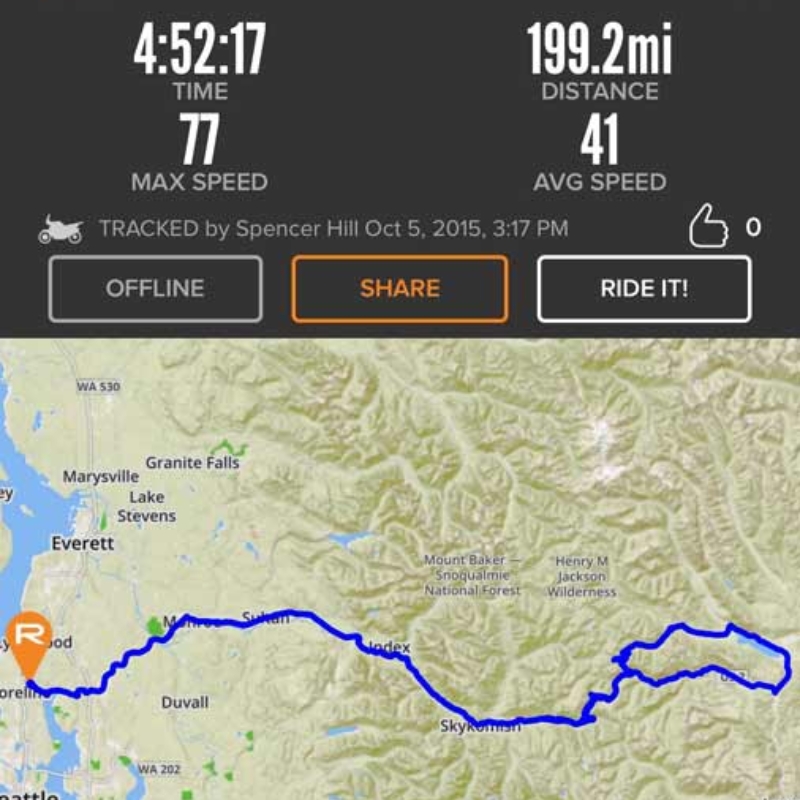
REVER is a motorcycle route-planning, ride-recording, and community app with free functions and a paid PRO subscription. REVER states that the service can be used worldwide, but this does not establish complete map coverage, curated-route availability, or feature performance on every route in India.
Ride Recording And Community Features
- GPS ride recording: Record journeys and view statistics such as distance, duration, elevation, and speed. REVER states that ride tracking works without cellular service, although saving or synchronising a ride may require connectivity.
- Auto-pause: Enable automatic pausing and resuming of ride recording in the app settings.
- Route planning and route-line following: Create routes on the website or app and follow a static route line showing your position relative to the planned track. This is different from spoken turn-by-turn navigation.
- Privacy zones: Hide the starting and finishing areas of rides saved as public. Review the settings before publishing a ride.
- Community and sharing: Discover routes, connect with riders, join communities and challenges, and share ride links or images.
Rever Pro Features And Limitations
- Twisty routing: Plan routes over paved roads with up to 25 waypoints. Check the resulting route rather than treating winding-road selection as proof of road quality or accessibility.
- Advanced Off-Road Planner: Plan routes over paved or dirt roads with up to 100 waypoints. REVER states that this planner does not support turn-by-turn voice navigation.
- Turn-by-turn guidance: PRO includes spoken and visual directions for supported planned routes with up to 25 waypoints. REVER’s A/B planner supports this navigation method.
- Offline maps and routes: Download the required regions and rides before leaving network coverage. Test your chosen navigation method offline; do not assume that every planner or route supports the same guidance functions.
- LiveRIDE: Share a live-location link and configure automated messages to contacts when starting and finishing a ride. Check permissions, connectivity, and message delivery before departure; these functions are not a guarantee of emergency assistance.
- Weather and map tools: The PRO page lists weather alerts, interactive 3D maps, points of interest, and Butler Maps recommendations. Check coverage for your intended region.
- GPX export: PRO members can export rides through the REVER website for import into compatible GPS devices. REVER states that there is no built-in Garmin synchronisation.
Check the current subscription price and billing currency through your chosen purchase channel. REVER states that prices outside the United States are localised, but this guide does not establish a current INR price or identical pricing across website, Google Play, and Apple purchases.
User Ratings
- User Rating — Google Play: 4.2 out of 5 (17.1K reviews; checked 9 October 2026).
- User Rating — Apple App Store, US: 4.7 out of 5 (16K ratings; checked 9 October 2026).
Pros And Cons
Pros
- Free version, with GPS ride recording that REVER states works without cellular service
- Route planning, route-line following, privacy zones and community sharing
- PRO adds twisty routing, offline maps and routes, supported turn-by-turn guidance, LiveRIDE and GPX export
Cons
- Route-line following is different from spoken turn-by-turn navigation
- The Advanced Off-Road Planner does not support turn-by-turn voice navigation
- REVER states there is no built-in Garmin synchronisation
- This guide does not establish a current INR price or complete map coverage in India
Best For
For motorcycle trip planning: Consider REVER if route planning, ride recording, and route sharing match your needs. Check which features require a Pro subscription, confirm the offline functions available in your chosen plan, and test navigation and battery use before a longer trip.
Official Links Of Rever
Sources For Rever Features
- REVER: PRO features and plan comparison
- REVER: Route planners, navigation methods, and waypoint limits
- REVER: Offline use, ride recording, subscriptions, LiveRIDE, and GPX transfer
6. Scenic
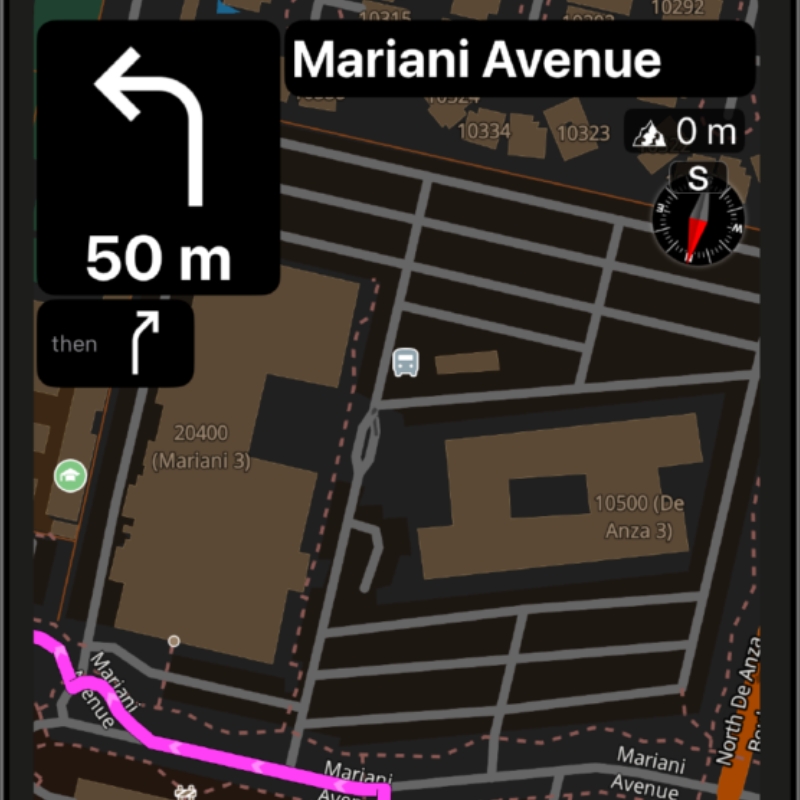
Scenic is a motorcycle navigation and recreational route-planning app for planning, following, recording, and sharing rides. Its published tools include curvy routing, round-trip generation, route imports, offline maps, and customisable navigation behaviour. Feature availability depends on the platform, region, and subscription.
Route Planning And Discovery
- Curvy routing and route shaping: Choose routing modes and add via points or stops to shape a journey. Scenic also advertises AI-assisted Beauty routing based on street imagery, but this guide does not confirm that mode’s availability in India.
- Round-trip generation: Generate a loop from a selected starting point using a desired distance and direction, with options such as avoiding highways or unpaved roads.
- Route imports and exports: Scenic lists imports from GPX, KML, KMZ, GDB, ITN, and Google Maps URLs, with GPX export for routes and recorded rides. Review imported routes before navigation because recalculation can change the route.
- Public routes: Browse routes shared and rated by other users. The current Apple listing advertises more than 200,000 user-designed routes worldwide; this does not establish the number available in India.
- Map and destination tools: Published features include dirt-road visualisation, satellite maps, points of interest, and Google Search integration. A mapped road surface does not confirm current conditions or legal access.
Navigation, Recording, And Display Features
- Voice guidance and detours: Scenic describes turn-by-turn navigation with configurable behaviour when leaving a planned route, including returning to the route or skipping waypoints.
- Offline maps: Premium includes downloadable maps in supported countries and regions. Check coverage and download the required areas before testing your route without a connection.
- Glove-friendly controls: The interface includes large controls designed for touch-enabled gloves. Compatibility with a specific glove or handlebar controller should be checked separately.
- Camera and incident displays: Published features include speed and red-light camera alerts, road closures, and traffic incidents on the map. Check regional coverage and applicable legal restrictions; map display alone does not establish that incidents affect route calculation.
- External displays: The Apple listing confirms CarPlay support, and the Premium page also lists Android Auto. Confirm support in your installed app and on your intended display rather than assuming identical platform availability.
- Ride recording and sharing: Record location, speed, and elevation; view ride statistics and elevation profiles; add photos; and share routes or completed rides.
Scenic offers a free version and an optional Premium subscription. Its Premium documentation identifies paid features such as voice-guided navigation, offline maps, advanced routing, camera alerts, enhanced imports, and elevation profiles. Check the current in-app plan comparison for your platform rather than assuming every listed feature is free.
The Android listing retrieved for this review describes an open test and notes that remaining features are still being implemented. Assess Android availability separately from the iOS feature list.
User Rating
- User Rating — Apple App Store, US: 4.7 out of 5 (7.5K ratings; checked 9 October 2026).
Pros And Cons
Pros
- Free version available
- Published tools include curvy routing, round-trip generation, route imports and GPX export
- Glove-friendly controls and ride recording and sharing
- Premium lists voice-guided navigation, offline maps, advanced routing, camera alerts, enhanced imports and elevation profiles
- The Apple listing confirms CarPlay support, and the Premium page lists Android Auto
Cons
- The Android listing describes an open test with remaining features still being implemented
- The Premium features above are paid, and the quoted price has no recorded check date
- AI-assisted Beauty routing and incident-aware routing are not confirmed in this guide
Best For
For recreational motorcycle route planning: Consider Scenic if you want to plan scenic rides or explore routes shared by other riders. Check map coverage, offline functions, subscription requirements, and compatibility with your phone and any handlebar controller before choosing it for a trip.
Official Links Of Scenic
Sources For Scenic Features
- Scenic: Route planning, navigation, imports, and ride recording
- Scenic: Premium features and subscription information
- Apple App Store, India: Scenic features, compatibility, and in-app purchases
- Google Play: Scenic Android features and open-test notice
- Scenic: Official feature walkthrough — 11 March 2026
7. Myride By Yamaha
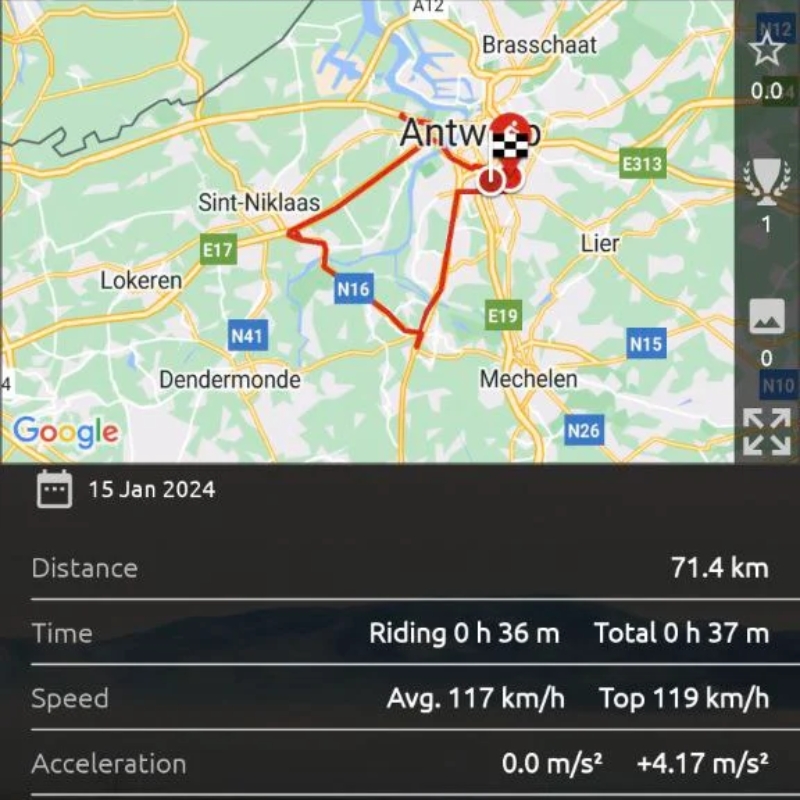
MyRide by Yamaha is a ride-recording and community app that can be used regardless of motorcycle brand. Its core functions include recording journeys, maintaining a personal ride logbook, discovering routes shared by other riders, and exporting completed rides.
Ride Recording And Route Discovery
- Ride statistics: Record rides and view statistics such as lean angle, acceleration, and speed. The store descriptions do not establish the measurement accuracy of these statistics.
- Personal logbook: Save journeys with photos and personal notes in your account.
- Route discovery: Explore routes and journeys shared by the riding community. Review a shared route before departure rather than treating it as confirmation of current road conditions or legal access.
- Sharing and GPX export: Share completed rides on social media or export them in GPX format. Test exported files in the receiving app or device before relying on them.
- Rider community: Connect with other riders and discover their shared journeys.
Connected-yamaha Functions: Check Compatibility Separately
The general Google Play listing also describes IoT functions for compatible smart Yamaha motorcycles, including phone-call management, music and audio controls, navigation, notification display, maintenance reminders, fuel and battery-consumption monitoring, and battery-health information.
These connected functions are not established as available on every Yamaha motorcycle or in every market. The India-language listing reviewed here does not include the IoT feature list. Before relying on these functions, confirm with Yamaha that they are supported for your motorcycle model, market, phone, app version, and installed hardware.
For this comparison, assess MyRide primarily by its documented ride-recording, logbook, community, and GPX-export functions. Evaluate connected navigation separately for a verified compatible setup.
User Rating
- User Rating — Google Play: 4.3 out of 5 (19K reviews; checked 10 October 2026).
- User Rating — Apple App Store, India: 4.6 out of 5 (38 ratings; checked 10 October 2026).
Pros And Cons
Pros
- Free, and can be used regardless of motorcycle brand
- Ride statistics such as lean angle, acceleration and speed, plus a personal logbook with photos and notes
- Route discovery, social sharing, GPX export and a rider community
Cons
- Best considered a ride-tracking companion rather than a direct alternative to the navigation apps in this comparison
- The store descriptions do not establish the accuracy of the ride statistics
- Connected functions are described for compatible smart Yamaha motorcycles only, and the India-language listing reviewed does not include them
Best For
Best suited to ride tracking: MyRide by Yamaha focuses on recording journeys, viewing ride statistics, and maintaining a personal ride logbook. Consider it primarily as a ride-tracking companion rather than a direct alternative to the navigation apps in this comparison.
Official Links Of Myride By Yamaha
Sources For Myride Features
- Google Play: MyRide ride recording, logbook, sharing, and route discovery
- Google Play: MyRide general listing and connected-Yamaha functions
8. Calimoto
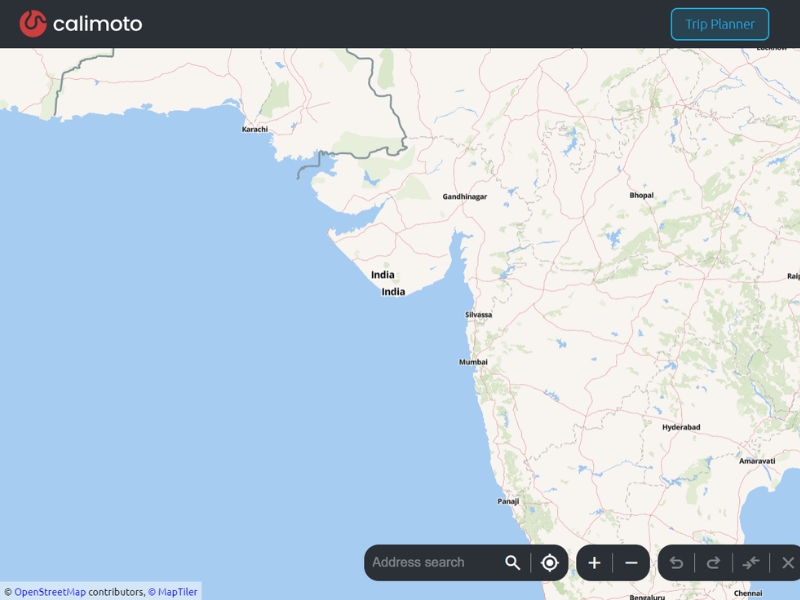
Calimoto is a motorcycle route-planning, navigation, and ride-recording app. Its published features include winding-road routing, round-trip generation, route imports and exports, offline navigation, and ride statistics. Check map coverage, platform support, and subscription requirements for your intended route in India rather than assuming that every advertised feature is available everywhere.
Route Planning And Ride Management
- Winding-road routing: Plan routes in the app or on the website using calimoto’s twisty-roads algorithm. Add waypoints and choose routing preferences to shape the journey. A winding-road recommendation does not establish road quality or legal access.
- Round-trip generation: Generate rides that start and finish at the same location, with options for the starting point, distance, and direction.
- Points of interest: Add stops such as petrol stations, restaurants, and motorcycle meeting places. Check opening hours and availability separately.
- Route transfers: The pricing page lists imports and exports in GPX, KML, and ITN formats. Review transferred routes in the receiving app or device before departure.
- Ride recording and history: Record completed journeys, save them to your ride history, and share them with other riders. The Apple listing describes post-ride statistics including speed and elevation.
Premium Navigation And Connected-display Features
- Turn-by-turn guidance: Premium includes navigation with voice instructions. The Android listing also describes delivering instructions through a Bluetooth headset; check compatibility with your own audio setup.
- Offline maps: Download supported maps before departure to navigate without an internet connection. Test your planned route offline and allow enough device storage for the required regions.
- Android Auto and Apple CarPlay: Use calimoto on a compatible vehicle or external display. Android Auto support is documented for navigation, destination search, ride recording, and ride management. It requires a compatible display and phone connection, not just a digital motorcycle dashboard.
- Group rides: The Premium page lists synchronised group rides and location sharing while riding. Check account, connectivity, and sharing requirements before using this function with a group.
- Speed-camera and caution-point alerts: The pricing page describes visual alerts, speed information, and speed-limit displays. Check regional coverage and applicable legal restrictions; do not describe these as comprehensive real-time hazard detection.
- Additional ride statistics: Premium includes post-ride lean-angle and acceleration analysis. The published feature descriptions do not establish the measurement accuracy of these statistics.
calimoto offers in-app purchases and paid access to navigation features. Check the current plan comparison and India checkout price before subscribing. Do not assume that a free download includes voice navigation, offline maps, display integration, or every route-planning function.
User Rating
- User Rating — Google Play: 4.0 out of 5 (55.6K reviews; checked 9 October 2026).
- User Rating — Apple App Store, India: 5.0 out of 5 (3 ratings; checked 9 October 2026).
Pros And Cons
Pros
- Winding-road routing, round-trip generation, points of interest and GPX, KML and ITN route transfers
- Ride recording and history
- Premium lists voice navigation, offline maps, Android Auto and Apple CarPlay, synchronised group rides and post-ride lean-angle and acceleration analysis
Cons
- Paid access: €9.99 per week, €59.99 per year or €39.99 for a three-month Season Pass; check India pricing in the app
- Do not assume a free download includes voice navigation, offline maps, display integration or every route-planning function
- Android Auto requires a compatible display and phone connection, not just a digital motorcycle dashboard
Best For
For twisty-road route planning: Consider Calimoto if you want to plan recreational rides with winding-road and round-trip options. Check current map coverage, subscription requirements, offline functions, and phone compatibility, then test a familiar route before relying on it for a longer trip.
Official Links Of Calimoto
Sources For Calimoto Features
- calimoto: Premium features and plan comparison
- calimoto: Route planning, waypoints, round trips, and offline navigation
- calimoto: Android Auto compatibility and functions
9. Royal Enfield App
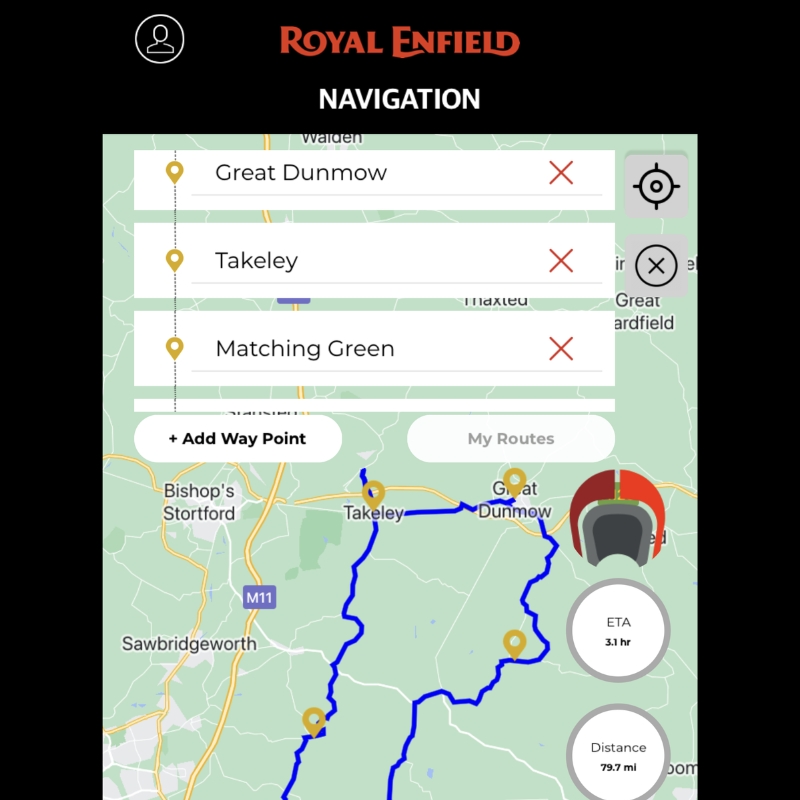
The Royal Enfield App combines motorcycle ownership services, connected navigation, ride information, and community features. Navigation and vehicle tracking depend on different hardware: Tripper or Tripper Dash provides navigation, while Wingman provides supported vehicle-tracking and monitoring functions.
Tripper Navigation
- Hardware-dependent navigation: Royal Enfield states that app navigation is available only when connected to the motorcycle’s Tripper or Tripper Dash. Check the exact model, variant, and installed display rather than assuming that every Royal Enfield supports the same navigation functions.
- Turn-by-turn directions: The Tripper pod provides Google Maps-powered navigation prompts. Do not treat the pod’s directional display and a full-map Tripper Dash display as interchangeable.
- Navigation without mobile coverage: Royal Enfield states that the Tripper pod can continue guidance after a route has been set, provided the phone has GPS reception. Initial route planning and real-time updates require internet access; its FAQ also qualifies continued offline guidance when deviating from the planned route.
- Route recording and sharing: The app page describes recording, sharing, and revisiting navigation routes. Assess these separately from Wingman trip reports and live-location sharing.
- Night display: The Tripper pod FAQ describes a night mode that begins at 7 PM by default. This does not establish automatic ambient-light switching or identical behaviour across Tripper displays.
Wingman Tracking And Vehicle Information
- Compatible connected hardware: Wingman requires a supported motorcycle, fitted Wingman hardware, and an authorised profile in the Royal Enfield App. Standard fitment, optional fitment, and retrofit eligibility vary by model.
- Live and parked location: View the motorcycle’s live or last parked location. Royal Enfield states that ignition-off location updates occur once an hour and that location accuracy depends on GPS reception.
- Vehicle alerts: Receive supported battery, fuel, vehicle-health, and diagnostic alerts. Weak network coverage can delay updates; not every breakdown generates a monitored diagnostic alert.
- Trip reports: View distance, duration, average speed, routes, and riding-pattern information. The Wingman FAQ states that reports are viewable in the app, with up to three months of history, and that live-trip sharing is currently unavailable.
- Support: GRID proactive support operates from 9 AM to 6 PM. Roadside Assistance is available 24/7 throughout the year, subject to the applicable service terms.
Ownership And Community Services
The app also supports service scheduling, service-history access, roadside-assistance access, motorcycle configuration, shopping for accessories and riding gear, and registration for rides or events.
Check phone requirements, permissions, hardware costs, installation charges, and connected-service terms before choosing this setup. Royal Enfield’s Wingman FAQ describes an included five-year data plan with a subsequent top-up charge; confirm the package applicable to your motorcycle rather than treating the app’s download price as the total cost.
User Rating
- User Rating — Google Play: 4.5 out of 5 (27.8K reviews; checked 10 October 2026).
- User Rating — Apple App Store, India: 4.3 out of 5 (2.2K ratings; checked 10 October 2026).
Pros And Cons
Pros
- Free app, with service scheduling, service-history access, roadside-assistance access and motorcycle configuration
- Google Maps-powered navigation prompts through the Tripper pod
- Wingman provides live or last parked location, vehicle alerts and trip reports
- Roadside Assistance is available 24/7, subject to the applicable service terms
Cons
- Navigation is available only when connected to the Tripper or Tripper Dash, and Wingman needs fitted hardware on a supported motorcycle
- Initial route planning and real-time updates require internet access
- Wingman trip reports show up to three months of history, live-trip sharing is currently unavailable, and ignition-off location updates occur once an hour
- Wingman includes a five-year data plan with a subsequent top-up charge
Best For
For compatible Royal Enfield motorcycles: Consider this app if you need the navigation, connected-bike, or ownership services supported by your model. Check phone compatibility, required motorcycle hardware, feature availability, and any separate connected-service charges before relying on it.
Official Links Of Royal Enfield App
Sources For Royal Enfield App Features
- Royal Enfield: App features, navigation requirements, and ownership services
- Royal Enfield: Tripper compatibility, offline guidance, and display FAQs
- Royal Enfield: Wingman hardware, tracking, trip reports, support hours, and service terms
What To Check Before Using Connected-bike Features
Compare standalone phone navigation separately from features that connect an app to a motorcycle or external display. For the specific feature you want, check the following.
- Motorcycle compatibility: Check the supported model, model year, variant and market. Not every motorcycle from the same brand is compatible.
- Required hardware: Identify the navigation display, tracking device or accessory your feature needs. Check whether it comes with the motorcycle or is bought separately, whether it is already installed, and whether installation, pairing or service activation is required.
- Phone requirements: Check the supported operating system and minimum software version, then confirm the required permissions and connection settings on your phone.
- Display support: Check support for your display model and connection method, and which functions (such as navigation prompts or controls) work through it. A successful connection does not confirm every app function.
- Separate charges: Separate one-time hardware and installation costs from recurring app, connected-service, or data-plan charges. For any included service period, check how long it lasts, what it covers, what becomes chargeable afterwards, and whether renewal is automatic.
- Feature availability: For each function you plan to use (navigation prompts, ride summaries, vehicle location, ownership services), check whether it needs a phone-to-motorcycle connection, internet access, or an active connected service.
Before buying hardware or a subscription, record the requirements for your exact motorcycle, phone, hardware and intended function. For provider documentation, note the source, the date you checked it and any stated revision date. For your own tests, note the test date, app version, setup and outcome. A general app listing does not confirm compatibility with your motorcycle, and one successful test does not cover other versions or conditions. If documentation and your test disagree, keep both on record and mark the discrepancy unresolved.
Privacy Checks For Ride Recording And Location Sharing
Before using ride-recording, social or connected-bike features, review the app’s privacy information and sharing settings, separately from navigation features and price.
- Location access: Check which location permissions the app requests, when it uses them, and whether the features you want need background access. Permissions are separate from ride visibility and live-sharing settings. Granting or withdrawing a phone permission does not change who can see information already recorded or shared.
- Ride and profile visibility: Check the default visibility and audience options separately for recorded rides, planned routes, photos, and profile information. Before changing a setting, check which items it covers. One setting may not change every item or content you shared earlier.
- Live-location sharing: Identify the recipients and check the sharing duration, any expiry setting, and how to stop sharing early. Check how to confirm that recipients no longer receive updates once sharing ends. Separately check whether location history is kept, who can see it afterwards, and what deletion options exist. Ending live sharing does not by itself delete earlier data.
- Recorded-route details: Before publishing a ride, review the path, start and finish locations, stops, and any timestamps, photos, or notes included. Before sending an exported file, inspect what the file contains rather than relying on the app’s ride summary. Remove anything you do not want to disclose where the app or export process allows it.
- Account and data deletion: Check how to delete individual rides and how to request account deletion, including what each covers, any stated completion period, and retention terms or exceptions. A deletion request being acknowledged is not the same as deletion being completed. Deleting a ride or account does not remove copies you already shared or exported, so check those separately.
- Connected-bike information: If you use vehicle tracking, identify every account that can see the motorcycle’s location and any location history, including access given through sharing permissions or links. For each, check how to revoke it, what the revocation covers, and how to confirm it took effect. Treat access to current location and to records separately.
For each finding, record the source and the date you checked it, plus any stated policy revision date or, for app controls, the app version and settings. Keep unresolved questions separate from confirmed findings.
What To Check Before Choosing An App For Offline Use
“Offline maps” does not confirm that every navigation function works without an internet connection. For your app, phone, region and plan, check each function below separately.
- Map viewing: Download maps covering your start, destination, stops and any alternative routes, then inspect the downloaded areas without connectivity and note any missing sections.
- Destination search: Try searching for an address or place you have not saved, and check whether saved destinations open.
- Route planning: Check whether you can calculate a new route offline or only open one prepared while connected. If you may change plans mid-ride, check whether you can change the destination or add, remove or reorder stops.
- Navigation guidance: Start and follow turn-by-turn guidance in your travel mode. Check displayed instructions and voice prompts, including your chosen voice language, and note whether the route was prepared online or calculated offline.
- Off-route behaviour: Leave the planned route during your test and note what the app shows and announces: an off-route warning, the original route, or revised guidance.
- Ride recording: Check that you can start, continue, finish, save and reopen a recording offline. Separately check whether account synchronisation needs connectivity and how you can confirm it completed.
- Plan requirements: Check which offline functions need payment and whether maps exist for the regions you will visit. Confirm that your trial or subscription covers the journey dates, and what happens to downloaded maps, saved routes and offline guidance when that period ends.
Before departure, download the required content and test each function without an internet connection. Record the test date, app version, phone, plan and downloaded region or route, and whether each function worked, failed or was not tested. Do not mark a whole app as passed or failed from one function.
If your app version, phone, plan or settings change, retest and keep the earlier results as separate dated entries.
What Should You Check Before Using Motorcycle Navigation Apps In India?
Use this checklist to review your navigation setup before departure.
- Battery planning: Test battery use with your intended app, phone, screen settings and ride-recording or navigation functions. Use the results to plan charging for your expected journey time. If you need an external power source, check that it is compatible with your phone and motorcycle setup.
- Offline preparation: Complete the offline-use checklist for your intended route.
- Two-wheeler routing: Where available, select the app’s motorcycle or two-wheeler routing option. See the Google Maps and Waze FAQs for their selection steps.
- Road-hazard alerts: If you plan to rely on alerts for potholes, speed breakers or other hazards, check which alert types and what coverage the app offers for your route.
- Pre-trip test: Review the app’s current documentation, update history and map-update information. Then, on a familiar route, test the functions you plan to use, such as destination search, route guidance, off-route behaviour and ride recording. Record the phone, operating system, app version, plan, test date, route and connection status, and note any failures or functions you did not test.
- Display, audio and control compatibility: Check map readability and voice-guidance settings on your setup. If you plan to use a helmet audio system, handlebar controller or external display, verify that your specific app, phone and accessory support the functions you need. Compatibility with one accessory does not confirm support for another.
- Sharing preparation: Before a group ride, review the privacy checklist and check route sharing and live-location sharing separately. Test your sharing method with the intended recipients on their own apps or devices, and check access, the route details or location updates they see, permissions and plan requirements.
- Backup navigation: Check every suggested route against road signs, local access restrictions and current conditions. A suggested route does not confirm that a road is accessible or suitable for your motorcycle, so plan an alternative navigation arrangement rather than relying on one app.
- Charging and temperature preparation: Review your phone manufacturer’s charging and operating-temperature guidance, check your power source and charging accessories, and plan where you can recharge. Charging stops do not prevent overheating.
Faq About Motorcycle Navigation Apps In India
1. How Should I Choose A Motorcycle Riding App?
Choose according to your main task rather than looking for one app that is best at everything:
- For destination navigation, compare Google Maps, Waze, Mappls, and NaviMaps.
- For motorcycle touring and recreational route planning, compare Calimoto, Scenic, and REVER.
- For ride recording and statistics, consider MyRide by Yamaha and the recording functions listed for other apps.
- For Royal Enfield ownership or connected-bike functions, assess the Royal Enfield App against your motorcycle, required hardware, and service requirements.
Compare the functions you need, intended-route coverage, platform compatibility and total cost. Use the offline-use, connected-bike and privacy checklists above, and see Quick picks for a starting shortlist by riding task.
2. What Is The Best App For Planning A Motorcycle Trip?
Based on their listed features, consider Calimoto for winding-road and round-trip planning, Scenic for route planning and sharing, and REVER for planning combined with ride recording and community sharing.
These capabilities are not exclusive to each app. Compare platform availability, paid navigation features and coverage for your route, see Quick picks for a starting shortlist, or read Calimoto versus Scenic for a closer comparison.
3. What Are Some Free Alternatives To Calimoto?
For recreational motorcycle route planning, compare the free versions of Scenic and REVER. Voice guidance and offline maps are listed under Scenic Premium, and twisty routing, offline maps and routes, and supported turn-by-turn guidance are listed under REVER PRO, so check what the free version includes before relying on it.
Google Maps, Waze and Mappls are listed as free apps for general destination navigation. They serve a different task and do not replace Calimoto’s touring features. Whichever you choose, confirm that the function you need is included without payment on your platform and route.
4. Does Calimoto Cost Money?
Yes. Calimoto’s website lists €9.99 per week, €59.99 per year, or €39.99 for a three-month Season Pass (checked 9 October 2026). These are euro prices from the website, not confirmed India checkout prices, so check the price in the app before subscribing.
Voice navigation, offline maps and Android Auto/Apple CarPlay integration are listed under Premium. Before purchasing, check the total charge, access period and included features.
5. What Is This Guide’s Review Of Calimoto?
Calimoto is a candidate for riders interested in winding-road and round-trip planning. Its listed features also include points of interest, ride recording and route transfers. The main considerations are the paid access required for the listed Premium functions and whether its route coverage meets your touring needs. See the How we assessed these apps box for what this guide does and does not cover.
6. Is Scenic Worth Paying For?
Scenic Premium is worth considering if you need the voice guidance, offline maps or camera alerts listed under Premium. If you only need route planning and sharing, first check whether the free version includes the functions you need.
Scenic’s website price is equivalent to $4.99 per month on annual billing. No check date is recorded for that quote, so confirm the checkout total, billing currency and India pricing before subscribing. Also check platform availability: Scenic is listed for iOS and an Android open test, where features may differ.
7. Which Is Better For Motorcycle Navigation: Calimoto Or Scenic?
Compare the listed differences against your requirements:
- Planning: Calimoto lists winding-road and round-trip planning; Scenic lists route planning and sharing. Neither description is exclusive to one app.
- Navigation and offline use: Both list voice guidance and offline maps under Premium. Test offline search, route calculation and off-route behaviour separately with the offline-use checklist.
- Platforms: Calimoto is listed for iOS, Android and Web. Scenic is listed for iOS and an Android open test, where features may differ.
- External displays: Calimoto lists compatible Android Auto/Apple CarPlay integration under Premium. Scenic’s Apple listing confirms CarPlay support and its Premium page lists Android Auto, so confirm support on your own display.
- Cost: Calimoto’s website lists €9.99 per week, €59.99 per year or €39.99 for a three-month Season Pass. Scenic’s website price is equivalent to $4.99 per month on annual billing. Neither is a confirmed India checkout price.
Choose after confirming essential features and coverage for your route.
8. Do Motorcycle Navigation Apps Work Offline?
Offline support varies by app, region, travel mode, and subscription plan. Downloadable maps do not, by themselves, confirm offline destination search, route calculation, turn-by-turn guidance, or recalculation after leaving a route.
Test each function you need without an internet connection before departure, using the offline-use checklist. For a starting shortlist of apps with offline maps, see Quick picks.
9. How Does Motorcycle Routing Differ From Touring-route Planning?
Motorcycle routing and touring-route planning are separate functions. Motorcycle routing adjusts directions for your vehicle: Google Maps offers two-wheeler directions in supported locations, and Waze has a Motorcycle option under vehicle type. Touring apps such as Calimoto, REVER and Scenic focus on planning enjoyable rides, for example winding-road or round-trip routes.
A touring-planning feature does not, by itself, mean an app has a dedicated motorcycle travel mode, and neither kind of routing confirms that every suggested road is accessible or suitable for your motorcycle.
10. Can I Use Calimoto With Android Auto?
Yes, with Calimoto Premium. Android Auto support is documented for navigation, destination search, ride recording, and ride management. It needs a compatible display and phone connection, not just a digital motorcycle dashboard. Scenic’s Premium page also lists Android Auto. Confirm compatibility with your phone, app version, display and connection method before purchasing.
Check which functions work through your setup, including guidance, voice prompts, planned-route access and offline behaviour. A successful connection does not confirm every navigation function.
11. Does Waze Have A Motorcycle Mode?
Waze has a Motorcycle option under its vehicle-type settings. Its help page says selecting a vehicle type adjusts routing and estimated arrival times. Waze’s separate new motorcycle mode, announced in July 2026, was not listed for India in its initial rollout.
- Open Waze and open the menu.
- Tap Settings.
- Tap Vehicle details.
- Tap Vehicle type.
- Select Motorcycle.
See Waze’s vehicle-type instructions. The vehicle-type setting does not establish route-level accuracy in India, and traffic and hazard alerts are not exclusively motorcycle-specific.
12. Does Google Maps Have A Motorcycle Mode, And How Do I Select It?
Google Maps provides two-wheeler directions for motorcycles and scooters on mobile devices in supported locations. To select the mode:
- Open Google Maps on your phone.
- Search for your destination or tap it on the map.
- Tap Directions.
- Select the motorcycle or two-wheeler icon instead of the car icon.
- Review the route, then tap Start when ready.
Choose the motorcycle or two-wheeler option, not the bicycle option. If it is absent for your location, do not assume that car or bicycle directions provide equivalent motorcycle routing. Always follow road signs and local access restrictions, whatever route is suggested. See Google’s instructions for scooter and motorcycle directions.
Other Related Articles From Bikeleague India
- Best bike trip routes in Kerala
- Must have bike accessories for a long distance trip
- Best anti-theft devices for bikes : Secure your ride today
- Motorcycle service – All things you need to know explained
Conclusion
No single app covers everything, so pick one based on your needs. Here’s where to start for each situation.
- Everyday directions: Start with Google Maps. It offers two-wheeler directions in supported locations, route-step previews, and offline map downloads. Add Waze if live traffic and hazard alerts matter most to you, or Mappls if you want pothole and speed-breaker alerts.
- Winding-road and round-trip planning: Choose Calimoto. Its Premium plan adds voice navigation, offline maps, and Android Auto or Apple CarPlay support. If you want a free version with ride recording and community sharing, choose REVER instead.
- Riding with poor network coverage: Choose REVER PRO. It includes offline maps and routes, and REVER states that ride recording works without cellular service. Calimoto Premium is the alternative if you prefer its planning tools.
- Group rides: Choose Calimoto Premium for synchronised group rides and location sharing. REVER PRO’s LiveRIDE link is the alternative.
- Royal Enfield ownership: Use the Royal Enfield App. Navigation needs Tripper or Tripper Dash, and tracking needs Wingman hardware.
- Personal ride log: Use MyRide by Yamaha for ride recording, statistics, and GPX export, whatever your motorcycle brand.
These suggestions are based on the features each app lists, not on personal testing. Before you pay for a plan or take a long trip, check the India pricing, route coverage, and whether the app works with your phone and bike. Test the features you need on a familiar route, especially if you plan to use the app offline. Use the checklists above to track what works.
If you have questions, email us at bikeleagueindia@gmail.com or leave a comment below. We’re happy to help. You can also find Bikeleague India on social media.